WINDOWS PROTECTION SUITE FOR GAME HOSTS

Per-Port
Traffic Protection

XyndraShield is a Windows desktop shield for game and service hosts. It combines WinDivert-backed packet filtering, proxy-based port routing, adaptive temporary bans, Windows failed-logon monitoring, service hardening, Discord webhooks, emergency defense modes, and built-in licensing and update workflows in one interface.

WIN + DIVERT ENGINE STACK
PER-PORT PROTECTION PROFILES

Shield
CURRENT BUILD // 1.2.1-BETA
WINDOWS HOST DEFENSE
ABOUT THE SOFTWARE

Built For Windows-Hosted Game Services

XyndraShield is designed for operators who need one control surface for protected ports, traffic visibility, Windows login abuse monitoring, service hardening, webhook alerts, licensing, and updates. When WinDivert mode is enabled, it can inspect and deny protected traffic before it reaches the target service. When WinDivert is disabled, it falls back to a TCP proxy model for the mapped ports.

Per-Port Profiles

Every mapping can carry its own limits, probation rules, and protocol profile.

Live Operations UI

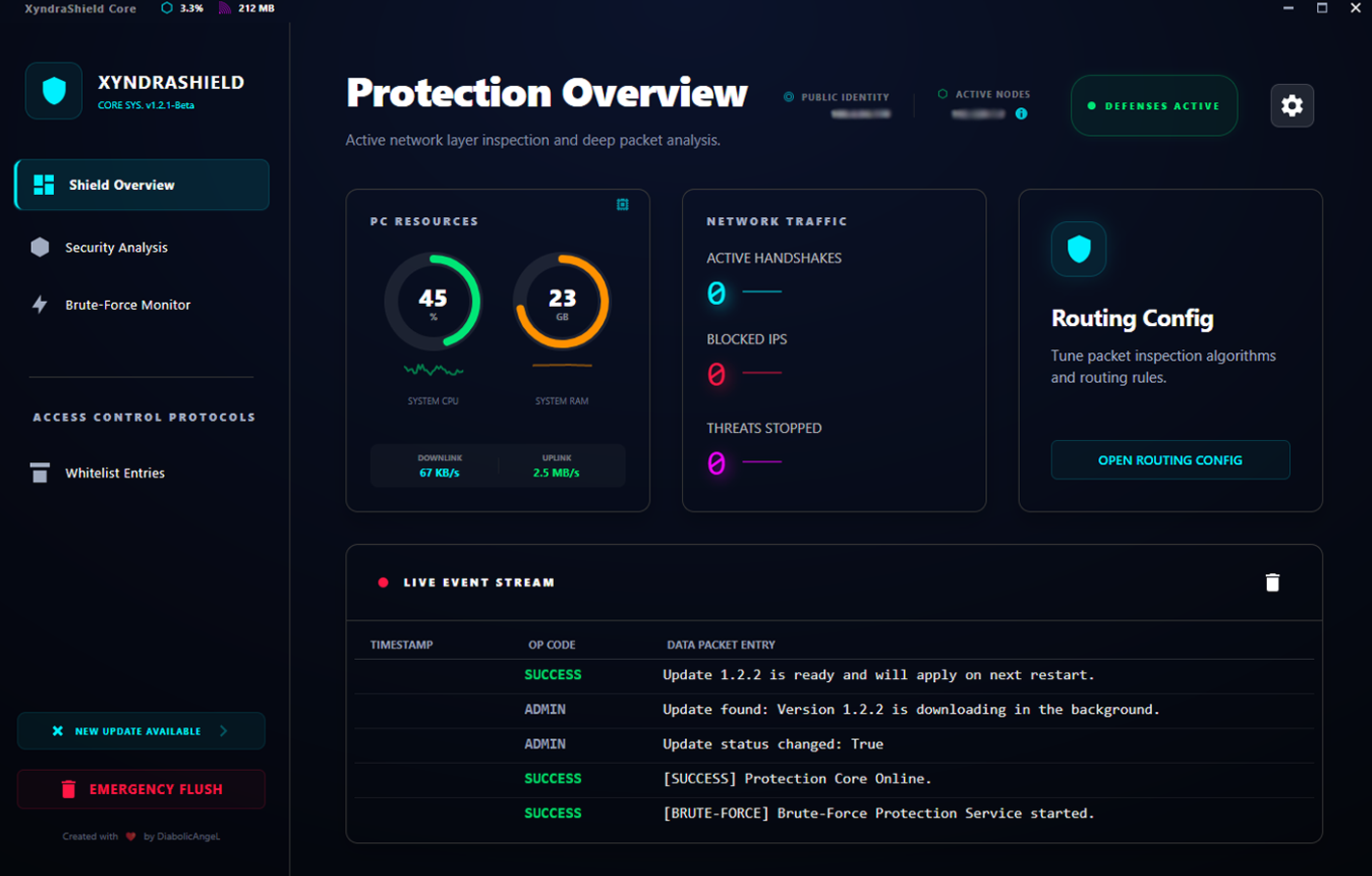
Security analysis, brute-force monitoring, webhooks, hardening, and routing live in one dashboard.

PREVIEW // ENGINE
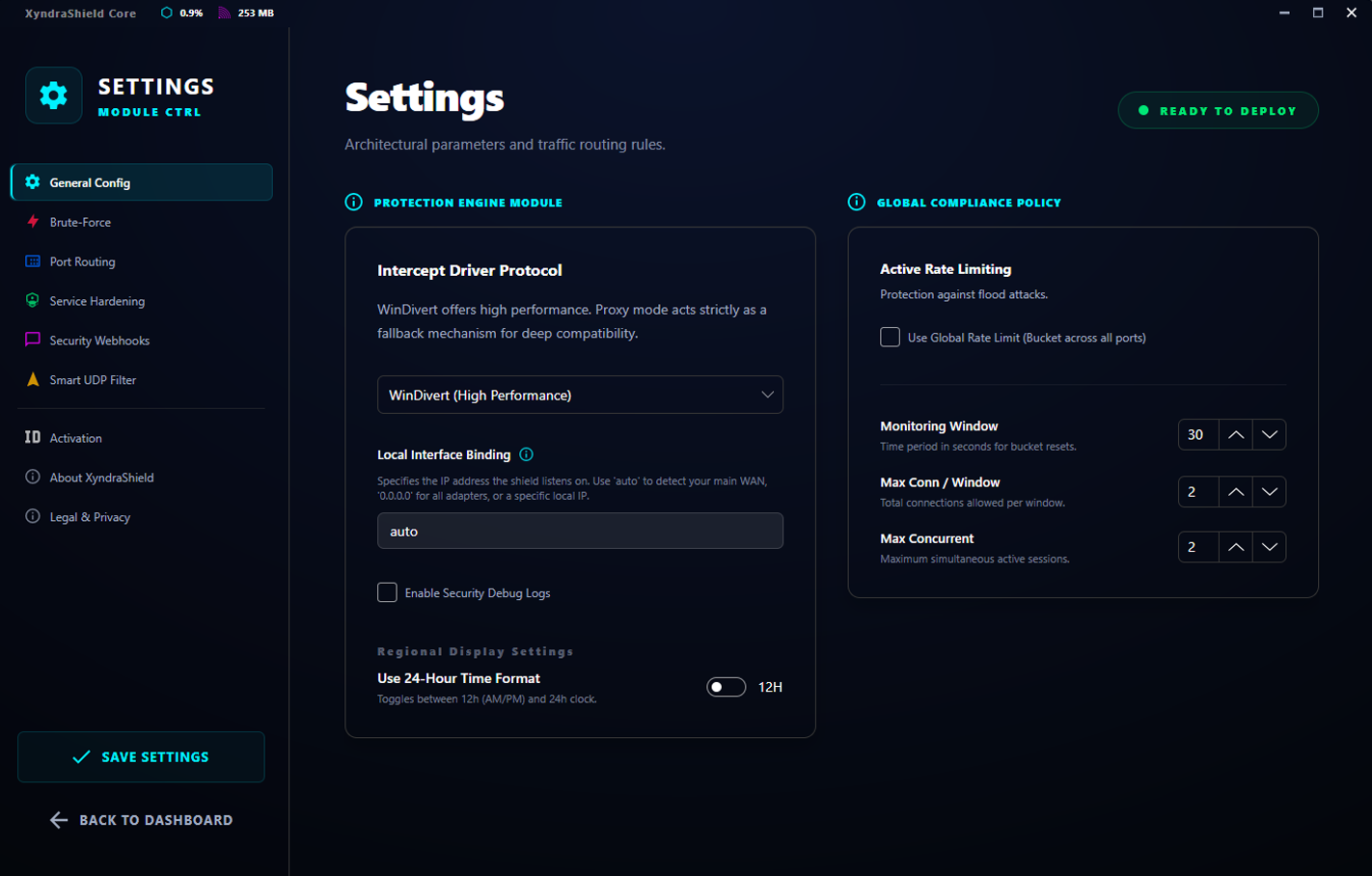
Software Preview Settings Preview

WHO IT IS FOR

XyndraShield is aimed at Windows-hosted game servers and other public-facing TCP services that need practical front-door protection, clearer monitoring, and safer operational controls. It works well as a host-level shield for game login ports, game traffic ports, admin services, and similar routed workloads.

CURRENT BUILD

APPXYNDRASHIELD
VERSION1.2.1-BETA
PLATFORMWINDOWS .NET 10
FILTER MODESWINDIVERT / PROXY
BRUTE FORCEEVENT ID 4625
LICENSE CACHEOFFLINE VALIDATION

DEFENSE ARCHITECTURE

What The Current Build Actually Ships

WinDivert Core

Optional WinDivert mode inspects inbound traffic for protected ports and can drop or deny new connections before they reach the target service.

Per-Port Routing Profiles

Each mapping can use its own window, rate, concurrent limit, new-IP probation mode, and protocol profile instead of one shared global rule.

Windows Brute-Force Monitor

Monitors Windows Security Event ID 4625 for failed logons, tracks abusive IPs, and can apply temporary or permanent firewall bans depending on your settings.

OPERATIONAL CAPABILITIES

More Than A Basic Port Blocker

The current build includes layered controls for routed services, admin visibility, emergency response, and host hardening.

Adaptive Ban Engine

Temporary bans, escalation, reputation scoring, subnet burst detection, and post-connect heuristics can be tuned globally and overridden per protected port.

Emergency Defense Mode

Balanced, Aggressive, and Extreme attack modes can be enabled for a timed window or until disabled. Extreme mode blocks all new protected-port connections except loopback and whitelisted IPs.

Offline License Cache

Successful license verification stores signed cached license data and offline validation material so the app can continue operating during short-term connectivity loss.

Service Hardening

Optional hardening controls can disable or restore selected Windows services such as Print Spooler, Remote Registry, SSDP Discovery, UPnP Device Host, and LLTD service exposure.

Discord Webhooks

Webhook notifications can send admin login events, firewall changes, brute-force bans, CPU spikes, and memory spikes to a Discord channel you control.

Built-In Updates

The app can check for updates through the licensing service, download a ZIP package, and launch a PowerShell updater that applies the update after the running process exits.

SYSTEM REQUIREMENTS

Current Deployment Profile

XyndraShield is a Windows desktop application intended for Windows game or service hosts. Some features require administrator rights and Windows-specific components.

DEPENDENCIES.LOG
OS_HOST: Windows 10 / 11 / Windows Server (64-bit)
RUNTIME: .NET 10.0 Desktop
DRIVER: WinDivert64.sys (Bundled)
ADMIN: Needed for firewall, service, and driver-related actions

Representative Console View

This section shows example log lines styled after the desktop client so visitors can see the kind of events XyndraShield surfaces in the app.

LIVE
OBSERVABILITY
Security Analysis Brute-Force Monitor
XYNDRASHIELD SAMPLE CONSOLE v1.2.1-BETA

FEATURE MATRIX

Current Build Coverage

Area Current State Where It Runs Notes
Protected Port Filtering Available WinDivert mode or proxy mode Applies to the ports you add and enable in Port Routing.
Per-Port Protection Profiles Available Routing mappings Each mapping can carry its own limits, probation, and protocol profile.
Windows Failed-Logon Monitoring Available Windows Security Event Log Uses Event ID 4625 for the brute-force monitor.
Emergency Defense Modes Available Shield runtime override Balanced, Aggressive, and Extreme modes are built in.
Service Hardening Available Windows services Targets a selected list of optional Windows services.

CURRENT RELEASE LINE

Recent Feature Additions

v1.2.1-Beta
Current
  • Added per-port protection profiles, adaptive ban controls, and smarter shield reconfiguration without full app restart.
  • Added emergency attack modes with timed activation and Extreme protected-port lockout mode.
  • Expanded help windows and per-setting guidance across the configuration UI.
Monitoring
Current
  • Security Analysis and Brute-Force Monitor now separate their log streams cleanly.
  • Console content can be selected and copied directly from the desktop client.
Operations
Current
  • Service hardening can restore recorded original startup types instead of forcing one generic restore mode.
  • Built-in updater downloads packages and applies them through the sidecar update flow after the app exits.

Need deployment guidance?

Contact us if you want help choosing protection profiles, planning routed ports, or setting up a game host cleanly.

KNOWLEDGE BASE

Frequently Asked Questions

No. XyndraShield is a Windows host-level security tool that works alongside Windows Firewall. Some protections use WinDivert, some use the app's proxy routing mode, and the brute-force monitor can also add Windows Firewall rules.

It hooks into Windows Security Event Logs, specifically watching for Event ID 4625 (Failed Logon). When an IP reaches your configured threshold, XyndraShield can add a temporary or permanent firewall ban depending on your settings.

No. The routing and shield engine are generic and can be used with other Windows-hosted game or service ports too. The optional Lineage 2 ban-file sync is just one specific integration layer.

No. It can help at the host layer by rate-limiting, banning, and filtering protected-port traffic, but it cannot solve upstream bandwidth saturation on its own. Very large attacks still require upstream mitigation from your provider or edge layer.

XYNDRASHIELD

Host-Level Protection Suite

Built for Windows Game servers, routed services, and public-facing hosts
  • Per-port traffic filtering for routed game and service ports
  • Windows brute-force monitoring with firewall ban support
  • Emergency attack modes for fast defensive response
  • Service hardening, webhooks, and live security visibility
🛡 WinDivert Bundled 🔒 Adaptive Shielding 🔑 Emergency Modes
CONTACT FOR ACCESS

Contact the listed support address for product access and deployment guidance.